
Facebook Post Maker Free 2026 Complete Guide
Use Facebook Post Maker online free to create Facebook posts, stories, cover photos, ads, banners, and more from one image. Resize, optimize, and download instantly with PixelCraftTools.
Facebook Post Maker Online Free – Create Perfect Facebook Sizes in Seconds
Creating the right image size for Facebook can be confusing. Feed posts, Stories, cover photos, ads, event banners, reels covers, and marketplace visuals all use different dimensions. That is why many creators, businesses, bloggers, marketers, and store owners use a Facebook Post Maker Online Free tool.
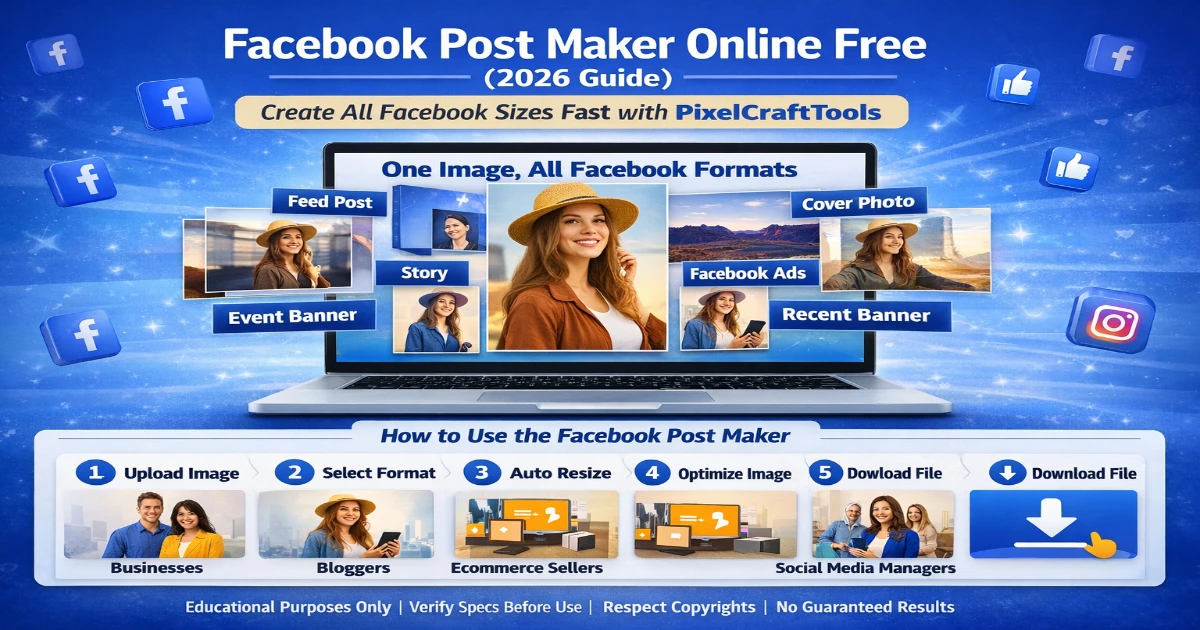
With PixelCraftTools, you can turn one image into multiple Facebook-ready sizes instantly. No design experience required.
Use the tool here: Facebook Post Maker by PixelCraftTools
Why Facebook Image Sizes Matter
Wrong image sizes can cause:
- Cropped text
- Blurry visuals
- Poor mobile display
- Low click-through rate
- Unprofessional branding
- Wasted ad budget
Correct sizing helps your content look clean and professional across Facebook placements.
What You Can Create with Facebook Post Maker
Using a smart Facebook image maker, you can create:
Facebook Feed Post Size
Perfect for normal page posts and engagement content.
Facebook Story Size
Vertical full-screen content for mobile users.
Facebook Cover Photo
For pages, business profiles, and communities.
Facebook Ads Size
Optimized visuals for paid campaigns.
Facebook Event Cover
Professional banners for webinars, launches, and promotions.
Facebook Marketplace Images
Product-ready photos with clean layout.
Facebook Reel Cover
Eye-catching thumbnails for video content.
Why Use PixelCraftTools Facebook Post Maker
PixelCraftTools helps users quickly create social-ready images online.
Main Benefits
- Free to use
- Fast browser-based tool
- No signup required
- Create multiple sizes from one image
- Resize instantly
- Compress for faster upload
- Convert PNG / JPG / WebP
- Mobile friendly
- Clean downloads
Best Users for This Tool
This tool is useful for:
- Facebook page owners
- Small businesses
- Ecommerce sellers
- Bloggers
- YouTubers
- Affiliate marketers
- Local brands
- Designers
- Social media managers
How to Use Facebook Post Maker Online Free
Step 1: Upload Your Image
Choose PNG, JPG, or WebP.
Step 2: Select Facebook Format
Choose:
- Feed Post
- Story
- Cover
- Ad
- Event Banner
- Reel Cover
Step 3: Auto Resize
The tool adjusts dimensions instantly.
Step 4: Optimize Image
Compress large files for faster uploads.
Step 5: Download
Save your Facebook-ready image.
Recommended Facebook Formats in 2026
| Facebook Type | Best Orientation |
|---|---|
| Feed Post | Square / Portrait |
| Story | Vertical |
| Cover | Wide Landscape |
| Ad Creative | Square / Vertical |
| Event Cover | Wide |
| Reel Cover | Vertical |
Facebook Marketing Benefits
Using correct visuals can improve:
- Better engagement
- More clicks
- Cleaner branding
- Higher ad performance
- Better mobile experience
- Faster loading pages
Smart Workflow for Best Results
Use this full content workflow:
- Resize image
- Compress file
- Convert to WebP if needed
- Upload to Facebook
- Reuse for ads and stories
Internal Tool Suggestions
Use these free tools from PixelCraftTools:
- Image Resizer Tool
- Compress Image Tool
- Convert Image to WebP Tool
- Background Remover Tool
- Instagram Post Maker Tool
- Change Background Color Tool
Helpful Content & Quality Notice
This article is written for users who need a practical image solution. It focuses on real usability, clarity, and updated platform sizing practices.
No fake claims. No misleading promises.
AI & Copyright Disclaimer
Users should only upload images they own or have permission to edit. Always respect copyrights, trademarks, and licensing terms before commercial use.
Frequently Asked Questions (FAQ)
Is Facebook Post Maker free?
Yes, many tools like PixelCraftTools offer free image creation options.
Can I create Facebook Stories too?
Yes. Story size support is one of the most important features.
Does it work on mobile?
Yes, browser-based tools work on desktop and mobile.
Can I use one image for multiple sizes?
Yes. That is the main advantage of a multi-format Facebook maker.
Can I compress images before upload?
Yes, this helps faster uploads and better quality balance.
Final Thoughts
A Facebook Post Maker Online Free tool saves time and helps create professional content faster.
Instead of manually designing every size, use one image and generate multiple Facebook formats instantly.
For creators, businesses, and marketers, PixelCraftTools makes the process simple, fast, and effective.
📚 High-Authority References & Sources
1. Meta Business Help Center – Image Recommendations for Facebook Placements
Meta provides official guidance on recommended image sizes, placements, resolutions, and creative best practices for Facebook Feed, Stories, Marketplace, Reels, and more. Useful for keeping visuals sharp and properly cropped across devices.
2. Meta Ads Guide – Creative Asset Best Practices
Official Meta Ads resource covering image formats, aspect ratios, ad placements, campaign creative standards, and optimization tips for better performance. Ideal for advertisers and page owners creating Facebook campaigns.
3. Meta Best Practices for Image Ads
Guidance on using high-resolution images, proper branding, clear visuals, and recommended ratios for stronger ad results across Meta platforms.
4. Meta Aspect Ratios Across Placements
Helps creators understand which aspect ratios work best for mobile feed, stories, reels, and other placements. Very useful when converting one image into multiple Facebook formats.
5. Google Search Central – Creating Helpful Content
Google’s people-first content guidance explaining how to create useful, trustworthy, original, and satisfying content for users rather than search engines only. Helpful for blog and tool page SEO strategy.
6. Google Search Central – Image SEO Best Practices
Best practices for naming images, alt text, structured data, responsive images, image quality, and helping Google understand image content. Useful for traffic from Google Images.
7. Google Search Essentials / SEO Starter Guidance
Core SEO principles for indexing, crawlability, quality content, spam avoidance, and user-first site optimization. Important for tool websites and blog clusters.
8. U.S. Copyright Office – AI & Ownership Guidance
Official copyright guidance related to AI-assisted content, authorship, ownership limits, and how generated images/content may be treated legally. Important for commercial image creation workflows.
Professional Disclaimer
Educational Use Disclaimer
This article is provided for general educational and informational purposes only. Platform image sizes, ad requirements, and creative recommendations may change over time. Always verify final specifications directly from official platform resources before publishing campaigns.
No Performance Guarantee Disclaimer
Using correct image sizes and optimized visuals may improve presentation quality, but no tool can guarantee engagement, clicks, conversions, approvals, or advertising results.
Copyright & Usage Responsibility Disclaimer
Users are responsible for ensuring they own, license, or have permission to upload and modify any images used with editing or resizing tools. Respect copyrights, trademarks, and brand policies before commercial use.
AI Content Disclaimer
AI-assisted image workflows may generate or modify content based on learned patterns. Users should manually review outputs for originality, branding accuracy, and legal compliance before use.
Third-Party Platform Disclaimer
Facebook, Meta, Instagram, and related brand names are trademarks of their respective owners. This article is independent educational content and is not endorsed by Meta Platforms, Inc.
SEO & Helpful Content Statement
This content is designed to provide practical, user-focused guidance aligned with modern search quality standards emphasizing usefulness, clarity, and trustworthy information.
Use PixelCraftTools to quickly resize, optimize, and prepare Facebook-ready images for posts, stories, covers, and ads in seconds.