
Resize Images Online Free
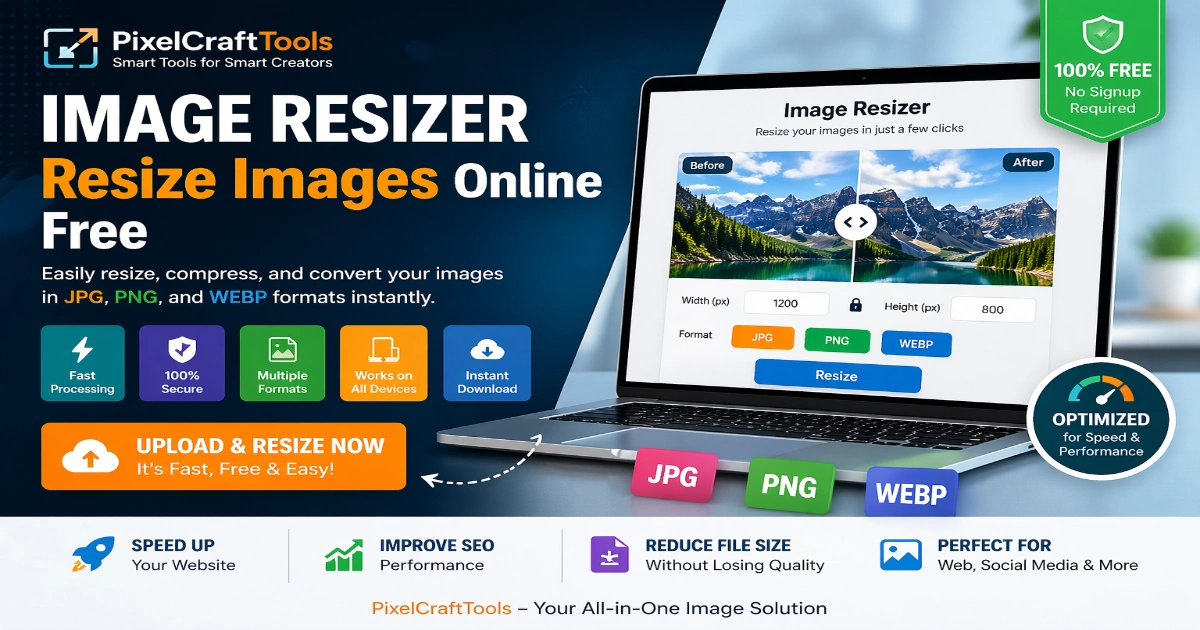
Resize images online for free with PixelCraftTools. Easily adjust image dimensions, optimize file size, and convert common formats such as JPG, PNG, and WEBP in just a few clicks.
The tool is designed to be fast, secure, and easy to use directly in your browser without installing software.
Whether you need images for websites, social media, ecommerce, email, or personal projects, the Image Resizer helps simplify the process.
Try it now!
Resize Image Online
Upload your image, resize dimensions, set optional target size, and download instantly.
Click or Drag Image Here
Supports PNG, JPG, WebP and more
What Is an Image Resizer?
An Image Resizer is a tool that allows you to change the width and height of an image while maintaining useful visual quality. It is commonly used when an image is too large, too small, or not suitable for a specific platform.
Resizing images can help reduce unnecessary file weight, improve upload speed, and prepare visuals for websites, blogs, online stores, presentations, or social media channels.
With PixelCraftTools, you can resize images directly in your browser without downloading heavy software or learning advanced editing programs.
If you want to create custom visuals from text prompts or explore creative concepts quickly, use our AI Image Generator to turn ideas into images with a simple browser-based workflow.
Supported Formats
The tool supports popular image formats such as:
-
JPG
-
PNG
-
WEBP
This makes it suitable for both personal and professional use.
Why Resize Image Online?
Resizing images online has become an important part of modern digital workflows. Oversized image files can slow down websites, reduce page performance, and create a weaker user experience on desktop and mobile devices.
Using an Image Resizer helps prepare images in the correct dimensions so they load faster, fit properly on different platforms, and remain easier to share.
With PixelCraftTools, you can quickly resize images without downloading software or creating an account. Everything works directly in your browser with a simple and efficient process.
Whether you need images for websites, social media, ecommerce stores, blog posts, or personal use, the tool provides a fast and reliable solution.
How It Works
-
Upload your image
-
Enter the preferred width and height
-
Resize the image instantly
-
Download the updated file
This saves time and helps optimize images for better compatibility across devices and platforms.
Key Benefits
-
Faster website loading speed
-
Improved page performance
-
Reduced file size for easier sharing
-
Better image fit for social media platforms
-
No need for heavy editing software
-
Quick browser-based workflow
-
Cleaner user experience across devices
Using an online Image Resizer helps keep visuals efficient and practical without unnecessary complexity.
How to Resize Images Using PixelCraftTools
Resizing images with PixelCraftTools is simple, fast, and beginner-friendly. The tool is designed so users can adjust image size in just a few steps without technical knowledge.
Step-by-Step Process
-
Upload your image file
-
Enter the desired width and height
-
Select the output format (JPG, PNG, or WEBP)
-
Optionally choose a target file size if supported
-
Click the Resize button
-
Download your resized image instantly
The full process usually takes only a few seconds and works smoothly on desktop, tablet, and mobile devices.
If you need to refresh dull backgrounds or match brand colors, use our Change Background Color Tool to apply clean, attractive backgrounds in just a few clicks.
Features of Our Free Image Resizer Tool
PixelCraftTools Image Resizer includes practical features designed to make image editing easier and more efficient.
Fast Processing
Images are processed quickly for a smooth and time-saving experience.
Secure & Private
Files are handled with privacy in mind, and images are not intended for permanent storage after processing.
Multiple Format Support
Resize and convert common image formats such as:
-
JPG
-
PNG
-
WEBP
No Installation Required
Everything works directly in your browser without downloading heavy software or apps.
Mobile Friendly
Use the tool comfortably on smartphones, tablets, laptops, and desktop computers.
Beginner Friendly
Simple controls make resizing easy for both new and experienced users.
Resize Images Without Losing Quality
One of the most common concerns when using an Image Resizer is losing sharpness or clarity. Our tool is designed to help maintain useful image quality while adjusting dimensions.
When resizing images, several factors can help preserve appearance:
-
Aspect ratio can be maintained to avoid stretching
-
Compression is balanced for better efficiency
-
Quality settings may be optimized automatically
-
Dimensions are adjusted with cleaner scaling methods
This helps resized images remain clear, practical, and suitable for personal or professional use.
Best Use Cases for Image Resizing
Image resizing is helpful in many everyday digital tasks where the correct dimensions improve compatibility and presentation.
Common Use Cases
-
Uploading images to websites
-
Social media posts (Instagram, Facebook, X / Twitter, and more)
-
Email attachments
-
Ecommerce product images
-
Blog and article visuals
-
Portfolio images
-
Online listings and marketplaces
-
Presentation graphics
Using properly sized images can improve both performance and visual appeal.
If your images are too large for websites or uploads, use our Compress Image Online Tool to reduce file size while maintaining strong visual quality.
Supported Image Formats
PixelCraftTools Image Resizer supports commonly used image formats for flexibility and convenience.
JPG (JPEG)
Best for photographs and standard image sharing.
PNG
Best for transparent images, logos, and sharper graphic elements.
WEBP
Best for modern web optimization with smaller file sizes and strong quality.
Each format serves different needs depending on where and how the image will be used.
Upload & Resize Images Instantly
Our Image Resizer is built for speed, simplicity, and convenience. You can upload an image, adjust dimensions, and download the resized version within moments.
The process is designed to remove unnecessary steps so users can complete resizing quickly and efficiently.
Key Highlights
-
Instant image upload and fast processing
-
No installation or setup required
-
Works on mobile, tablet, and desktop devices
-
Supports high-resolution images
-
Beginner-friendly interface
Whether you are preparing visuals for blogs, ecommerce stores, websites, or social media, the tool helps create a smooth editing experience.
Convert Any Image Format
PixelCraftTools Image Resizer also supports image format flexibility, allowing users to resize files while choosing the most suitable output format.
Supported Formats
-
JPG (JPEG)
-
PNG
-
WEBP
Common Examples
-
Convert PNG to JPG for smaller file size
-
Convert JPG to WEBP for stronger web performance
-
Convert WEBP to PNG for wider compatibility
This makes the tool a practical solution for both resizing and format conversion in one workflow.
If you want lighter files and faster website performance, use our Convert Image to WebP Tool to optimize images for modern web use.
Works Anywhere
One of the biggest advantages of PixelCraftTools is accessibility. The tool works on devices with a browser and internet connection, making it easy to resize images from almost anywhere.
Use It On:
-
Mobile phones
-
Tablets
-
Laptops
-
Desktop computers
There is no need to download apps or install heavy software. Everything runs directly in your browser for added convenience.
Privacy Guaranteed
We understand that image privacy matters to many users. That is why the tool is designed with a privacy-focused workflow.
Security Features
-
Images are processed securely
-
No intended permanent file storage
-
Automatic deletion policies where applicable
-
No login or signup required
Your files are handled with privacy in mind so you can resize images with greater confidence and peace of mind.
Why Choose PixelCraftTools?
PixelCraftTools is designed to provide a fast, practical, and beginner-friendly image resizing experience for everyday users, creators, businesses, and professionals.
The goal is to make image editing simpler without requiring heavy software or technical skills.
Key Reasons to Choose Us
✔ Fast Processing
The tool is built for quick resizing so users can complete tasks without unnecessary delays.
✔ Easy to Use
A clean and simple interface helps users resize images without advanced knowledge or complicated settings.
✔ Multi-Function Tool
Resize, compress, and convert images in one convenient place.
✔ High-Quality Output
Maintain useful image clarity while optimizing dimensions and file size.
✔ 100% Free
No hidden charges or subscription required for core functionality.
✔ SEO-Friendly Optimization
Useful for website owners and creators who want lighter images, faster loading pages, and better overall performance.
✔ Works in Browser
No software installation needed—everything runs online for added convenience.
If you need the correct sizes for posts, stories, covers, or ads, use our Facebook Post Maker to generate Facebook-ready formats instantly.
Online Image Resizer vs Software
Many users still rely on desktop software for image editing, but online tools can offer several practical advantages.
For quick resizing tasks, browser-based tools are often faster, simpler, and more convenient than opening large editing programs. They are especially useful when users only need to adjust image size, convert formats, or optimize files quickly.
| Feature | Online Tool | Software |
|---|---|---|
| Speed | Fast | Medium |
| Installation | Not Required | Required |
| Accessibility | Any device | Limited |
| Cost | Free | Paid |
Online Tools Like PixelCraftTools Provide a Faster and More Convenient Solution
For many everyday image tasks, online tools can be more practical than traditional desktop software. Instead of installing large programs or opening complex editors, users can resize images directly in the browser within seconds.
PixelCraftTools is designed to make image resizing faster, simpler, and easier to access from any device.
Why Many Users Prefer Online Tools
-
Quick browser-based workflow
-
No software installation required
-
Easy access from mobile or desktop
-
Simple controls for beginners
-
Fast results for common resizing tasks
-
Useful for work, business, and personal needs
For users who only need resizing, conversion, or quick optimization, an online solution can save time and effort.
Is It Safe to Resize Images Online?
Yes, PixelCraftTools is designed with user privacy and security in mind.
Safety Highlights
-
Files are processed securely
-
No intended permanent storage
-
No login required
-
Privacy-focused workflow
-
Easy access without unnecessary account creation
Your images are handled with privacy in mind throughout the resizing process.
Tips for Better Image Optimization
To get the best results while using an Image Resizer, it helps to follow a few simple optimization practices.
Helpful Tips
-
Use WEBP format for better web performance when suitable
-
Compress large images before or after resizing
-
Maintain the proper aspect ratio to avoid stretching
-
Avoid excessive resizing multiple times
-
Choose the right format for your specific use case
-
Match dimensions to the platform where the image will be used
Well-optimized images can improve loading speed, user experience, and overall website performance.
If you want to remove unwanted backgrounds and create transparent cutouts, use our Background Remover Tool for fast and clean results online.
Frequently Asked Questions (FAQs)
Can I resize images for free?
Yes, PixelCraftTools allows you to resize images completely free of cost.
How do I resize an image online?
Upload → set size → download
Is this tool free?
Yes, 100% free
What formats are supported?
JPG, PNG, WEBP
Is my image safe?
Yes, auto deleted
Does resizing reduce image quality?
Our tool minimizes quality loss using optimized processing.
What formats are supported?
JPG, PNG, and WEBP formats are supported.
Do I need to install anything?
No, everything works directly in your browser.
Is my data secure?
Yes, all files are processed securely and deleted automatically.
How to resize image to 100 KB?
To resize an image to 100 KB, upload your file to an online image resizer, then set a target file size (e.g., 100 KB) and adjust dimensions if needed. Tools like PixelCraftTools automatically optimize compression while maintaining quality, allowing you to download the resized image instantly.
Is image resizer free?
Yes, most online image resizers are completely free to use. PixelCraftTools allows you to resize, compress, and convert images without any signup or installation. You can process images directly in your browser at no cost.
What is best format for web images?
The best format for web images is WEBP, as it provides smaller file sizes with high quality. JPG is ideal for photos, while PNG is better for images requiring transparency. Choosing the right format improves website speed and SEO performance.
How to resize image without losing quality?
To resize an image without losing quality, use a tool that maintains aspect ratio and applies smart compression. Avoid extreme size reductions and choose the correct format (like PNG or WEBP). PixelCraftTools ensures high-quality output while optimizing file size.
Conclusion
PixelCraftTools provides a fast, secure, and free way to resize images online. Whether you’re optimizing images for websites, social media, or personal use, this tool makes the process simple and efficient.
With support for multiple formats, no installation requirement, and privacy-focused processing, it is an ideal solution for anyone looking to resize images quickly.
If you want to understand the complete process, check our detailed guide on how to resize images online for step-by-step instructions.
Policy & Disclaimer
PixelCraftTools provides this image resizing and conversion tool for educational and general utility purposes only. While we aim to deliver accurate and high-quality results, users are responsible for how they use the processed images.
General Disclaimer
This tool is designed to help users resize, compress, and convert images quickly and efficiently. However:
- We do not guarantee exact output results for every file type
- Image quality may vary depending on compression and format
- Users should verify final output before professional use
No Data Storage Policy
Your privacy is our priority.
- Uploaded images are not stored permanently
- Files are processed in real-time and automatically deleted after processing
- We do not access, view, or share your images
User Responsibility
By using PixelCraftTools, you agree that:
- You have the legal right to upload and modify the images
- You will not upload copyrighted, illegal, or sensitive content without permission
- You are responsible for how the final images are used
Tool Accuracy Notice
While our tool is optimized for performance:
- Output file size targets (KB/MB) are approximate
- Results may differ based on image complexity and format
- Some advanced edits may require professional software
Third-Party & Compatibility Disclaimer
PixelCraftTools is an independent tool and:
- Is not affiliated with any third-party platforms
- May produce different results depending on device/browser
- Works best with updated browsers like Chrome, Edge, or Safari
No Warranty
All services on PixelCraftTools are provided “as is” without warranties of any kind, either express or implied.
We do not guarantee:
- Continuous, uninterrupted service
- Error-free performance at all times
- Exact output results for every file type
Users should verify results before professional or commercial use.
We do not guarantee uninterrupted or error-free operation at all times.
Educational Purpose
This tool and related content are provided for informational and practical use only. It does not replace professional editing tools for advanced design or commercial production needs.
PixelCraftTools is designed to help users:
- Resize images
- Convert formats
- Optimize files for web use
However, it does not replace professional editing software for advanced design, printing, or commercial production needs.
Fair Usage Policy
To ensure optimal performance for all users:
- Avoid uploading extremely large or unsupported files
- Do not use the tool for automated or abusive requests
- Respect server limitations for smooth performance
Need a complete walkthrough? Learn how to resize images online without losing quality with our 2026 expert guide.
Copyright Notice
Users must ensure that:
- They own the rights to the uploaded images OR
- Have permission to modify and use them
PixelCraftTools is not responsible for misuse of copyrighted content.
PixelCraftTools is not responsible for misuse of copyrighted content.
Users must follow applicable copyright laws and usage guidelines.
For more information, refer to Google’s content usage policies.