
Compress Images Instantly Online Free – Reduce JPG, PNG, WebP Size Without Losing Quality
Compress image online without losing quality. Reduce JPG, PNG, and WebP file size instantly using our fast, free image compressor tool. You do not need to sign up or download heavy software to get started.
Compress Image Online
Compress JPG, PNG, and WebP images online with a simple, fast, and user-friendly tool.
Compress Image Online – Fast, Free & High-Quality Tool
Images play a massive role in website performance, SEO rankings, and user experience. Heavy image files drag down your website speed, increase loading times, and actively harm your Google search rankings. Visitors expect fast websites, and search engines reward pages that load quickly.
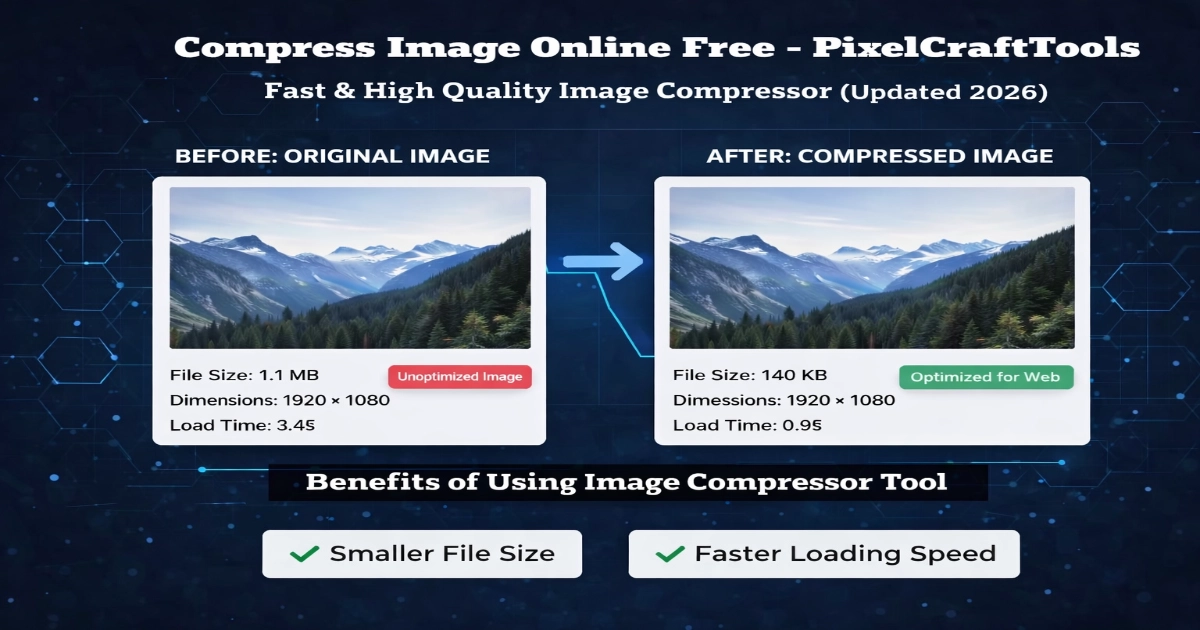
With our fast image compressor tool, you can easily compress image online without noticing any drop in visual quality. Whether you need to optimize pictures for a new blog post, an e-commerce store, social media campaigns, or personal use, this tool helps you reduce file size efficiently.
👉 If you’re working with large images, it’s always a good idea to first resize images before conversion using our tools.
Why Image Compression Is Vital for SEO
Image optimization goes far beyond simply saving space on your server. This process directly impacts your website’s overall performance, user retention, and visibility in search engines.
When you reduce image size for the web, you unlock immediate technical benefits:
- Faster load speed: Heavy images act like an anchor that slows down your site. Compressed images load in a fraction of a second, keeping visitors engaged and reducing bounce rates.
- Better Google ranking: Search engines actively reward websites that load quickly. A fast site is far more likely to achieve top spots in search results.
- Improved Core Web Vitals: Google uses strict metrics to measure user experience. Optimized images directly improve your Largest Contentful Paint (LCP) score, a key factor for AdSense approval and overall site health.
- Lower bandwidth usage: Smaller files use less data, which reduces hosting costs and helps your site remain efficient and stable, even during traffic spikes.
- Superior mobile performance: Most users browse from mobile devices, often with unstable network connections. Lightweight images ensure your site works smoothly on any smartphone or tablet.
How to Use This Image Compressor Tool
Compressing your files should not be a complicated process. We designed this tool to be fast, intuitive, and completely user-friendly. Follow these simple steps to reduce your file sizes in seconds:
- Upload your image: Start by selecting the JPG, PNG, or WebP file you want to optimize. You can easily browse your device or drag and drop the file directly into the working area.
- Adjust compression quality: Take full control of your output. Use the simple slider to choose your ideal balance between maximum file size reduction and visual clarity.
- Click Compress & Download: Once you set your preferred quality level, hit the compress button. The tool processes your image instantly without forcing you to wait.
- Download your optimized image: Save the newly compressed, lightweight file directly to your device. It is now ready for your website, blog, or social media campaigns.
👉 Pro-tip for maximum optimization: For the best possible results, we highly recommend optimizing your image dimensions first. You can easily adjust the width and height using our free image resizer tool before applying compression. This quick two-step routine guarantees the smallest possible file size while maintaining excellent visual quality.
Supported Image Formats
Our image compressor tool fully supports the most popular file types used across the internet today. We built this platform to handle your visual assets seamlessly, ensuring you get excellent results no matter what type of file you upload.
You can easily compress images in the following formats:
- JPG / JPEG: Perfect for standard photographs and rich images with complex colors.
- PNG: Ideal for graphics, logos, and any image that requires a transparent background.
- WebP: The modern web standard designed for high-quality visuals and ultra-lightweight file sizes.
Whether you manage a business website, write a personal blog, or create daily content for social platforms, you can compress images from these different formats in just a few clicks. By optimizing your files, you guarantee your visual content remains sharp and engaging while keeping your pages fast and user-friendly.
Key Features of Our Image Compressor
Finding the right balance between file size and visual quality is vital for any successful website or digital project. We built our image compressor with a strict focus on speed, safety, and simplicity. Explore the powerful features that make this the perfect tool for your image optimization needs:
- Fast Compression Speed: Nobody likes waiting for files to process. Our tool delivers instant results, allowing you to reduce file sizes in just a few seconds. You can process your visuals quickly and get back to managing your website or creating content without any frustrating delays.
- Optimized Compression with No Quality Loss: We use smart compression technology that drastically reduces your file size while preserving the original clarity of your image. You get all the benefits of a lightweight file—faster page loads and better SEO—without sacrificing visual appeal.
- 100% Browser-Based Processing: Unlike older software that requires heavy downloads, our tool runs entirely inside your web browser. This client-side processing means your device handles the work locally, making the entire experience smoother and far more efficient.
- Completely Privacy-Safe: We take your digital security seriously. Because our tool operates directly in your browser, your files never upload to our external servers. Your private photos and sensitive business graphics remain strictly on your own device at all times.
- Seamless Cross-Platform Compatibility: Whether you work from a home office or manage your blog on the go, our tool adapts to your lifestyle. You can compress images smoothly across any desktop computer, tablet, or mobile phone without losing access to any features.
- Simple and Beginner-Friendly Interface: You do not need to be a technical expert to use our platform. We designed a clean, straightforward interface that guides you naturally through the process. Just select your file, adjust the slider, and download your optimized image instantly.
By combining these practical features, we ensure you have everything you need to prepare your images for the web efficiently. You save valuable time, protect your privacy, and improve your website performance all in one place.
Image Compression vs Resizing – What’s the Difference?
Many users assume image compression and image resizing are the same process, but they solve different problems. Understanding the difference can help you prepare images more effectively for websites, blogs, ecommerce stores, and social media.
Image Compression
Compression reduces the file size of an image while keeping the same visual dimensions whenever possible. This helps images load faster, use less storage, and improve website performance.
Best for:
- Faster page speed
- Lower bandwidth usage
- Email and file sharing
- Website optimization
- Smaller downloads
Image Resizing
Resizing changes the width and height of an image. This is useful when an image is too large for a webpage, product listing, banner, or social media platform.
Best for:
- Matching platform size requirements
- Reducing oversized image dimensions
- Preparing images for mobile layouts
- Social media posts and ads
- Cleaner page layouts
Best Practice Workflow
👉 Resize first → then compress
Resizing removes unnecessary dimensions first, and compression then reduces the remaining file size more efficiently. This often provides better quality and stronger performance results.
For best results, combine both steps when preparing images for modern websites or digital marketing content.
Best Practices for Image Optimization
To get the best balance between image quality and performance, it’s important to follow a few simple but effective optimization practices. These steps can help improve website speed, user experience, and overall efficiency.
Recommended Best Practices
- Use WebP format when possible
WebP images often provide better compression while maintaining good visual quality, making them ideal for modern websites. - Compress images before uploading
Reducing file size in advance helps pages load faster and minimizes bandwidth usage. - Keep dimensions optimized
Always match image size to where it will be displayed instead of uploading oversized files. - Avoid unnecessary high-resolution images
Extremely large images are rarely needed for web use and can slow down performance. - Use lazy loading on your website
Load images only when users scroll to them, which improves initial page speed.
Practical Tip
Combining these steps—resize → compress → convert to WebP—can significantly improve page performance while keeping visuals clear and professional.
Frequently Asked Questions (FAQs)
How can I compress an image without losing quality?
You can use an online image compressor tool that reduces file size using optimized algorithms while maintaining visual quality.
Which format is best for image compression?
WebP is generally the best format for compression as it provides smaller file sizes with good quality.
Is image compression safe?
Yes, this tool processes images in your browser, so your files are not uploaded to any server.
Can I compress JPG and PNG images online?
Yes, you can compress JPG, PNG, and WebP images using this tool easily.
Does image compression affect SEO?
Yes, compressed images improve page speed, which is an important ranking factor for SEO.
What is the ideal image size for websites?
It depends on usage, but generally images under 200KB are considered optimized for web performance.
Should I resize or compress images first?
You should resize images first, then compress them for best results.
Conclusion
PixelCraftTools offers a simple and efficient way to compress images online without unnecessary complexity. Whether you’re reducing file size for faster website loading, improving SEO performance, or optimizing images for social media, this tool helps you get the job done instantly.
With support for multiple formats, real-time processing, and a privacy-focused system, it provides a reliable solution for everyday image optimization needs.
To discover more tools for resizing, compressing, and converting images, you can explore all image optimization tools available on our platform.
If you want to explore the full workflow, you can also check our step-by-step guide on how to compress and optimize images effectively.
Policy & Disclaimer
PixelCraftTools provides this image compression and optimization tool for general utility and educational purposes. While we strive to maintain accuracy and performance, users are responsible for reviewing and using the processed output according to their needs.
General Use Disclaimer
This tool is designed to simplify image compression and optimization. However:
- Output quality may vary depending on the original file
- Compression levels may affect visual clarity
- Results may differ across different formats and devices
- Users should always verify images before professional or commercial use
Privacy & Data Protection
We prioritize user privacy and data safety:
- Images are processed directly within your browser
- No permanent storage of uploaded files
- Files are automatically removed after processing
- We do not access or share user data
User Responsibility
By using this tool, you agree that:
- You have the legal rights to upload and process the images
- You will not upload restricted, copyrighted, or sensitive content without permission
- You are responsible for how the final images are used
Accuracy & Performance Notice
While the tool is optimized for efficiency:
- Target file size results are approximate
- Compression outcomes depend on image complexity
- Some advanced editing may require dedicated software
Compatibility Notice
This tool is built for modern environments:
- Works best on updated browsers like Chrome, Edge, and Safari
- Performance may vary on older devices or browsers
- Results can differ based on system capabilities
No Warranty Statement
All services provided by PixelCraftTools are offered “as is” without guarantees.
We do not assure:
- Continuous uptime without interruptions
- Completely error-free processing
- Identical results for all image types
Users are advised to review outputs before final use.
Educational Purpose
This tool is intended for practical and informational use. It helps users:
- Compress images
- Optimize files for web
- Improve loading speed
However, it does not replace professional editing software for advanced design, printing, or high-end production tasks.
Fair Usage Guidelines
To maintain performance for all users:
- Avoid uploading extremely large or unsupported files
- Do not use automated or excessive requests
- Follow responsible usage practices
Copyright & Usage Policy
Users must ensure:
- They own the image rights OR have permission to use them
- They comply with applicable copyright laws
PixelCraftTools is not responsible for misuse of uploaded content.