
PixelCraftTools Change Background Color Tool 2026 Updated
Change background color online free with PixelCraftTools. Upload PNG or transparent images, replace dull backgrounds with clean colors, and download instantly. Fast, easy, and free.
Change Background Color Online Free (2026 Updated Guide) – Fast PNG Background Color Editor
A clean background color can completely transform an image. Whether you are editing product photos, creating marketplace listings, improving profile images, or designing social media graphics, the right background color makes visuals look more professional.
With PixelCraftTools Change Background Color Tool, you can quickly upload a PNG or cutout image, choose a fresh background color, and download the finished result in seconds.
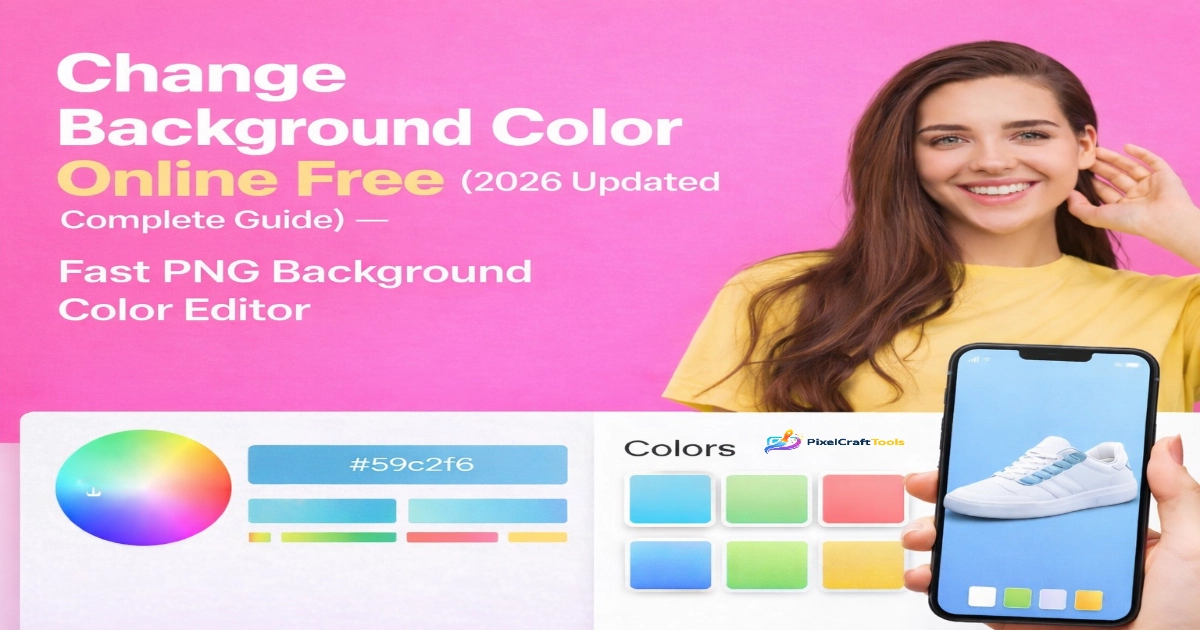
No complicated software. No signup. No design skills required.
Why Change Background Color?
Many images look dull because of poor or distracting backgrounds. Replacing the background with a solid clean color creates a polished result instantly.
Popular uses include:
- Product photos for eCommerce stores
- Amazon, Etsy, eBay, Daraz, Shopify listings
- Social media posts and ads
- ID photos and profile pictures
- Marketing banners
- Logo presentations
- Printable graphics
A white, blue, black, gray, or branded background can improve the entire appearance of your image.
Main Benefits of Online Background Color Editing
1. Fast Results
Traditional editing tools can take time. Online tools simplify the process into seconds.
2. Beginner Friendly
No Photoshop knowledge required.
3. Better Product Presentation
Products with clean backgrounds often look more professional and trustworthy.
4. Great for Branding
Use your business brand color as a background.
5. Save Time Daily
Perfect for bulk editing workflows and regular content creation.
How to Change Background Color Online Free
Using the tool is simple:
- Upload your PNG or transparent image
- Choose your background color
- Preview changes instantly
- Download final image
- Use it anywhere online or offline
This workflow helps creators, store owners, and marketers move faster.
Best Background Colors for Different Uses
White Background
Best for marketplaces, product listings, catalogs, professional clean look.
Black Background
Great for luxury items, fashion, premium branding.
Blue Background
Popular for tech products, profile photos, business visuals.
Gray Background
Modern neutral tone for product photography.
Bright Colors
Ideal for social media promotions and attention-grabbing graphics.
Product Listing Advantage
If you sell products online, background color matters. A clean background improves focus on the product itself.
This can help with:
- Better click-through rates
- More professional presentation
- Consistent catalog appearance
- Improved trust perception
Always follow each marketplace image rules.
Social Media Content Creation
Design creators often use simple colored backgrounds for:
- Facebook posts
- Instagram product promos
- Pinterest pins
- YouTube thumbnails
- Story graphics
A bold background can help text overlays stand out.
Best Workflow for Image Optimization
For stronger results, combine multiple tools together:
👉 First resize your image using the Image Resizer Tool
👉 Then optimize speed with the Compress Image Tool
👉 Convert for faster web loading using the Convert Image to WebP Tool
👉 Remove old messy backgrounds using the Background Remover Tool
This creates a complete image workflow for websites, eCommerce, and content creators.
Who Should Use This Tool?
This tool is ideal for:
- eCommerce sellers
- Dropshippers
- Etsy store owners
- Designers
- Students
- Freelancers
- Social media managers
- Bloggers
- Content creators
Why PixelCraftTools?
PixelCraftTools focuses on fast and simple online image tools.
Benefits include:
- Free access
- No signup required
- Easy interface
- Quick downloads
- Modern browser support
- Creator-friendly tools
AI & Content Responsibility Notice
Images edited with digital tools should always be reviewed before commercial publishing. Users are responsible for ensuring they have rights to use uploaded images, logos, or branded materials.
Helpful Content Commitment
This guide is created for real users looking for practical solutions. It focuses on usability, speed, and clarity rather than misleading claims.
Frequently Asked Questions
Is this tool free?
Yes, the tool is free to use online.
Can I use PNG transparent images?
Yes, PNG transparent images work best.
Do I need to install software?
No installation required.
Which background color is best for products?
White is commonly used for product photos.
Can I use it on mobile?
Yes, most modern mobile browsers support it.
Conclusion
If your images look dull or outdated, a fresh background color can instantly improve them. Whether you sell products, create content, or need clean professional graphics, changing background color online is one of the easiest upgrades you can make.
Use PixelCraftTools to replace dull backgrounds with clean, attractive colors in seconds.
Transparency & Editorial Note
This article is designed to help users understand how to change image background colors online quickly and responsibly. It focuses on practical usability, image quality, workflow efficiency, and clear explanations. It does not guarantee search rankings, sales increases, or marketplace approval outcomes. Results depend on image quality, design choices, platform requirements, and user implementation.
Evidence-Based Position
Changing background color can improve visual presentation, consistency, and readability when used correctly. For many online uses—such as product listings, social media creatives, and profile images—a clean background helps viewers focus on the subject.
However, design quality still depends on:
- Proper subject cutout quality
- Correct image dimensions
- Compression balance
- Platform-specific image rules
- Good lighting and original source image quality
A background color tool helps presentation, but it does not replace strong photography or design fundamentals.
What Professional Image Workflows Consistently Emphasize
Across eCommerce, content creation, and web publishing, common best practices include:
- Clean, distraction-free backgrounds
- Consistent brand colors
- Fast-loading optimized images
- Correct file formats (PNG, JPG, WebP)
- Clear subject focus
- Mobile-friendly visuals
- Legally usable source images
These principles are widely recognized across publishing and web optimization ecosystems.
Where Background Color Editing Fits
Changing background color is most useful in these scenarios:
Product Photos
Use white or neutral backgrounds to make products stand out.
Social Media Graphics
Use bold colors for contrast and stronger engagement visuals.
Branding Assets
Use brand palette colors for consistency.
Website Graphics
Use optimized background colors matching page design.
Profile & ID Style Images
Use clean solid backgrounds where appropriate.
AI & Image Ownership Disclaimer
If AI-assisted tools, auto cutout systems, or generated images are used during editing, outputs may still require human review. Users are responsible for ensuring they have permission to use uploaded images, logos, trademarks, faces, or commercial assets.
Always verify:
- Ownership rights
- Commercial usage permissions
- Model/brand permissions if required
- Trademark restrictions
- Marketplace content rules
AI tools can assist workflows but do not automatically grant usage rights.
Copyright & Licensing Notice
Changing a background color does not transfer copyright ownership of the original image. If you edit an image you do not own, rights may still belong to the original creator or rights holder.
Before publishing edited images, confirm:
- You created the image yourself
- You purchased a valid license
- It is public domain or properly licensed
- You have written permission
- Usage falls within applicable law
Search & Content Quality Commitment
This content is written for users first. It aims to explain tools clearly, avoid exaggerated promises, and provide accurate educational guidance. It is not intended to manipulate search rankings or mislead readers.
Helpful content principles generally prioritize:
- Real user value
- Clear explanations
- Honest expectations
- Useful workflows
- Originality
- Trustworthiness
Marketplace & Platform Compliance Disclaimer
Different platforms may have unique image rules. For example:
- Background color requirements
- Minimum resolution rules
- White background standards
- Product visibility standards
- Text overlay restrictions
- Aspect ratio rules
Always review the official policy of the platform where you upload images.
Performance & SEO Reality Check
Clean visuals can improve user experience, but no image tool can guarantee SEO rankings or conversions by itself.
Performance depends on many factors:
- Page speed
- Relevance
- Overall content quality
- Site trust signals
- User engagement
- Technical SEO
- Mobile usability
Images are one part of a broader optimization strategy.
Recommended Full Workflow
For professional results, many creators combine multiple steps:
- Remove old background
- Apply clean new background color
- Resize for target platform
- Compress for faster loading
- Convert to modern format like WebP
- Add branding if needed
- Test on mobile and desktop
Disclaimer
This page is informational only and does not provide legal, business, or professional advice. For licensing, trademark, compliance, or commercial disputes, consult a qualified professional. Always review final edited images before publishing. Users remain responsible for image rights, platform compliance, branding accuracy, and lawful usage.
Editorial Integrity Statement
We aim to create practical, trustworthy, user-first guides for online tools. Recommendations are based on common workflows, usability logic, and publicly available platform guidance rather than unrealistic claims.
Detailed References & Sources
Google Search Central – Creating Helpful Content
Used as a reference for people-first content principles, originality, usefulness, and trust-focused publishing practices.
Google Search Central – Image SEO Best Practices
Used for guidance related to crawlable images, descriptive filenames, structured presentation, and image discoverability.
Google Search Central – SEO Starter Guide / Search Essentials
Used for foundational SEO principles including accessibility, usability, page quality, and technical clarity.
U.S. Copyright Office – Artificial Intelligence Guidance
Used as a general reference regarding AI-generated content, authorship discussions, and ownership considerations.
Creative Commons Licensing Guide
Used for understanding open licensing frameworks, reuse permissions, attribution models, and licensing terms.