
Instagram Post Maker Online Free Create All Instagram Sizes Fast
Use Instagram Post Maker online free to create square posts, portrait posts, stories, reels covers, carousel images, and more from one image. Fast, easy, and free with PixelCraftTools.
Instagram Post Maker Online Free – Design Better Instagram Content in Minutes
Instagram is one of the most visual social platforms in the world. Whether you are a creator, online seller, personal brand, blogger, coach, or business owner, image quality and proper sizing directly impact performance. Using an Instagram Post Maker Online Free tool helps you instantly transform one image into multiple Instagram-ready formats without needing advanced design software.
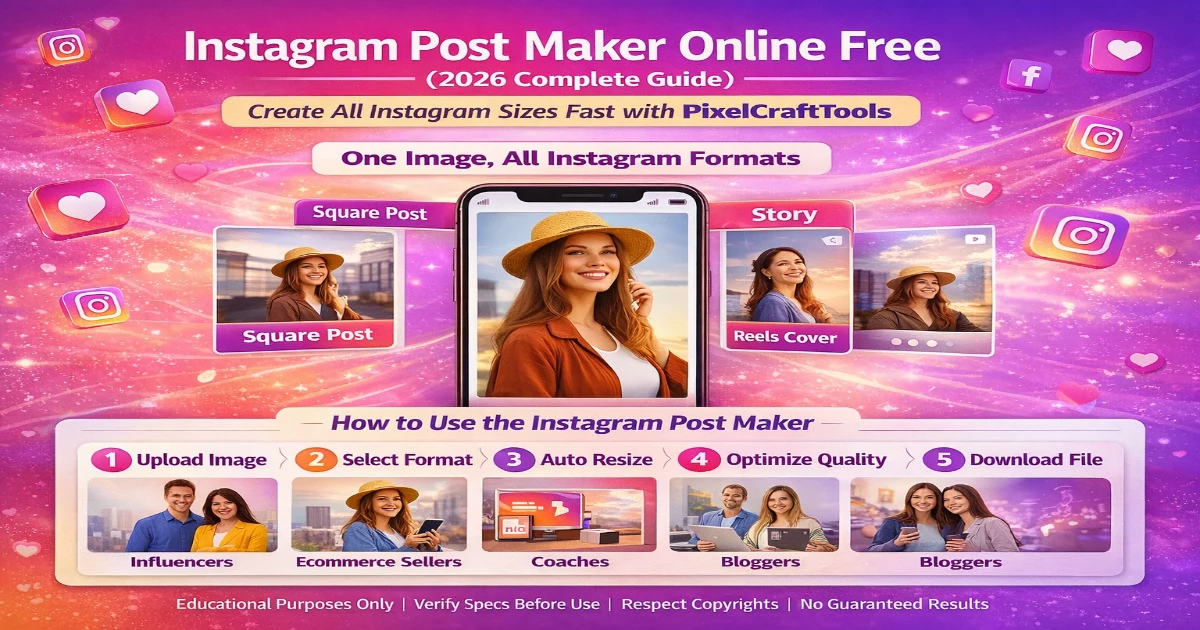
With PixelCraftTools, users can resize, optimize, and prepare content for posts, stories, reels, covers, and carousel layouts quickly.
Why Instagram Sizing Matters in 2026
Wrong dimensions often create:
- Cropped text
- Blurry uploads
- Poor mobile display
- Misaligned branding
- Lower engagement
- Weak first impressions
Instagram is a mobile-first platform, so optimized sizing matters more than ever.
What Can You Create with Instagram Post Maker?
Square Post Images
Ideal for quotes, products, tips, graphics, and feed consistency.
Portrait Posts
Excellent for taking more vertical screen space and grabbing attention.
Instagram Stories
Full-screen vertical content designed for fast engagement.
Reels Cover Images
Eye-catching thumbnails that improve click-through rate.
Carousel Slides
Multi-image educational, product, or storytelling content.
Promo Graphics
Sales banners, launches, offers, giveaways, and announcements.
Why Use PixelCraftTools for Instagram Content?
PixelCraftTools helps creators make professional visuals faster.
Key Benefits
- 100% browser based
- No heavy software required
- Free and simple workflow
- Multiple sizes from one upload
- Fast resize engine
- Compress large images
- PNG / JPG / WebP support
- Mobile friendly interface
- Instant download
Who Should Use This Tool?
Perfect for:
- Instagram influencers
- Ecommerce brands
- Small businesses
- Affiliate marketers
- Coaches & consultants
- Bloggers
- Local shops
- Fashion pages
- Meme pages
- Digital creators
How to Use Instagram Post Maker Online Free
Step 1: Upload an Image
Use a clean high-quality source image.
Step 2: Choose Format
Select:
- Square Post
- Portrait Post
- Story
- Reel Cover
- Carousel
Step 3: Auto Resize
Tool converts dimensions instantly.
Step 4: Optimize Quality
Compress file size while keeping clarity.
Step 5: Download & Publish
Use directly on Instagram.
Recommended Instagram Formats (2026)
| Content Type | Best Orientation |
|---|---|
| Feed Post | Square |
| Feed Growth Post | Portrait |
| Story | Vertical |
| Reel Cover | Vertical |
| Carousel | Square / Portrait |
How Better Visuals Improve Results
Using optimized images may help with:
- Better first impressions
- Stronger brand identity
- Cleaner feed layout
- Higher engagement potential
- Better mobile readability
- More saves and shares
Smart Content Strategy for Instagram Growth
Use one image and turn it into:
- Feed Post
- Story Reminder
- Reel Cover
- Carousel Intro Slide
- Promotional Graphic
This saves time and multiplies content output.
Creator Workflow Example
Upload one product image and generate:
- Product square post
- Story promo
- Reel cover
- Discount banner
- Carousel benefits slide
This is ideal for brands and stores.
Use More Free Tools with PixelCraftTools
Grow faster with these tools from PixelCraftTools:
- Image Resizer Tool
- Compress Image Tool
- Convert Image to WebP Tool
- Background Remover Tool
- Facebook Post Maker Tool
- Change Background Color Tool
Helpful Content Statement
This article is written to help creators and businesses make practical decisions about Instagram image creation. It focuses on usefulness, clarity, and updated platform workflows.
AI & Copyright Notice
Only upload images you own or have permission to use. Review branding, logos, models, trademarks, and commercial rights before publishing promotional content.
Frequently Asked Questions (FAQ)
Is Instagram Post Maker free?
Yes, many tools including PixelCraftTools provide free online resizing tools.
Can I create Stories and Reels covers?
Yes. Story and Reel cover creation is a core feature.
Do I need Photoshop?
No. Everything can be done online in your browser.
Can I use one image for many formats?
Yes. That is one of the biggest benefits.
Does compression reduce quality?
Smart compression reduces file size while preserving strong visual quality.
Final Thoughts
An Instagram Post Maker Online Free tool helps creators save time, stay consistent, and publish professional-looking content faster.
Instead of manually designing every size, use one image and instantly create square posts, portrait posts, stories, reels covers, and more.
For modern creators, PixelCraftTools offers a fast and practical workflow.
📚 High-Authority Instagram / Meta Official References & Sources
1. Meta Business Help Center – Instagram Creative Recommendations
Official guidance for creating high-quality Instagram visuals, recommended image practices, content formatting, branding suggestions, and placement optimization across Instagram surfaces. Helpful for creators and businesses designing better posts.
2. Meta Ads Guide – Instagram Placements & Asset Sizes
Official Meta Ads resource showing supported placements, image/video ratios, dimensions, file formats, and campaign asset recommendations for Instagram Feed, Stories, Reels, Explore, and more.
3. Meta Business Support – Story and Reel Best Practices
Meta recommendations for vertical content creation, safe zones, creative clarity, motion design, mobile-first visuals, and performance-focused Story/Reel publishing.
Search & SEO Resources
4. Google Search Central – Creating Helpful Content
Google’s official people-first content guidance explaining how to create useful, trustworthy, original content focused on helping users rather than manipulating rankings. Important for blog and tool page SEO strategy.
5. Google Search Central – Image SEO Best Practices
Best practices for image filenames, alt text, responsive images, structured data, crawlability, and helping Google understand visuals. Helpful for getting traffic from image search.
6. Google Search Essentials – Site Quality Guidance
Google’s core quality and technical rules covering indexing, spam avoidance, crawlability, mobile usability, and website trust signals.
Legal & Content Resources
7. U.S. Copyright Office – AI and Ownership Guidance
Official information regarding AI-assisted content, authorship limitations, copyright registration considerations, and ownership rules related to generated material.
8. Creative Commons – Licensing Guide
Learn how Creative Commons licenses work, how to legally reuse images/content, attribution requirements, and licensing categories for creators and publishers.
Disclaimer
Educational Use Disclaimer
This article is for educational purposes only. Instagram platform sizes and placement recommendations may change over time.
No Growth Guarantee
Using better visuals may improve presentation quality, but no tool guarantees followers, engagement, or sales.
Copyright Responsibility
Users must ensure they own or are licensed to use uploaded images.
Third-Party Trademark Notice
Instagram and Meta are trademarks of their respective owners. This content is independent and not officially endorsed.