
Best Image Tools Updated 2026 Remove Image Background 2026 Complete Guide
Learn how to remove image background online for free. Step-by-step guide with tips, tools, and techniques to create clean, professional images easily
Policy Declaration: This content is for informational and educational purposes only. It explains image editing techniques and tools without guaranteeing specific results.
Fast, Free & High Quality Background Remover
Learn how to remove image background online for free. Step-by-step guide to create clean, high-quality images using fast and easy background remover tools. In today’s digital world, clean and professional images are essential for websites, social media, and online businesses. One of the most useful techniques is background removal.
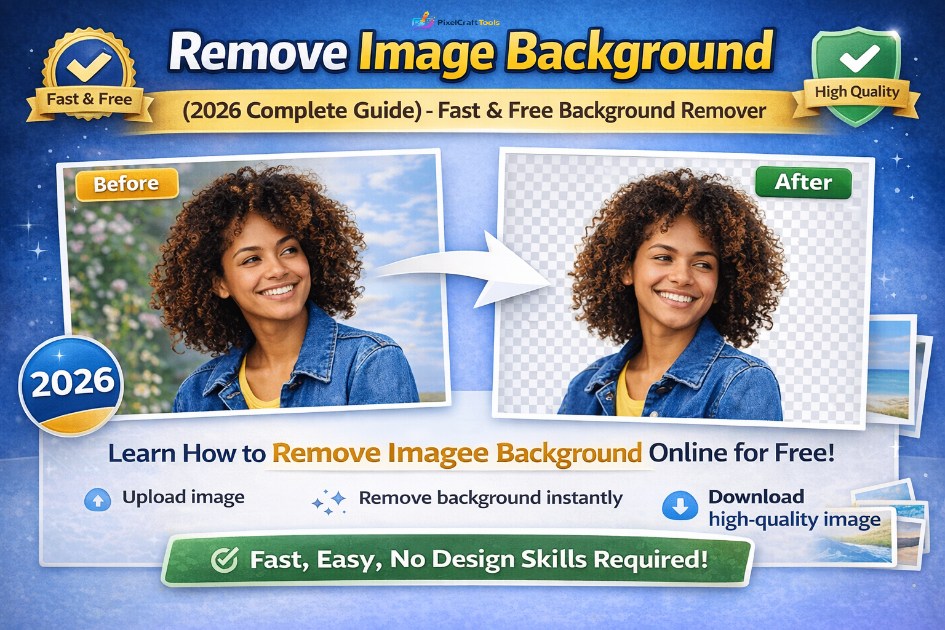
Whether you are creating product photos, thumbnails, or marketing visuals, removing unwanted backgrounds helps improve visual quality and focus.
👉 With modern tools, you can now remove image background online in seconds without advanced design skills.
Understanding Image Background Removal
Image background removal is a technique used to isolate the main subject of an image by eliminating unwanted or distracting backgrounds. This process helps create clean, focused visuals that can be easily reused across different platforms.
With modern tools, especially AI-based solutions, this process has become fast, accurate, and accessible even for beginners.
👉 Key advantages:
- Replace backgrounds with custom designs or colors
- Create transparent images (PNG) for flexible use
- Highlight the main subject for better visual impact
Resize images for better performance using our Image Resizer tool
Benefits of Removing Image Background
Removing the background from an image is not just about aesthetics—it significantly improves visual clarity, usability, and overall content quality across different platforms.
1. Creates a Professional Appearance
A clean and distraction-free background helps your subject stand out, giving images a polished and high-quality look suitable for websites and branding.
2. Enhances Product Presentation
Background-free images are ideal for e-commerce, allowing products to appear clear, consistent, and more appealing to potential buyers.
3. Improves Social Media Engagement
Visually clean and focused images attract more attention, making your posts, ads, and thumbnails more engaging and clickable.
4. Enables Creative Design Flexibility
Once the background is removed, you can easily replace it with custom designs, colors, or scenes to match your brand or project needs.
Easy Way to Remove Image Background Online
Use a Free AI-Based Tool
Removing image backgrounds has become simple with modern AI-powered tools. You don’t need any design experience or software installation—everything works directly in your browser.
👉 Recommended tool:
remove image background
Quick Steps to Follow:
- Upload your image file (JPG, PNG, or supported formats)
- The AI automatically detects the main subject
- Background is removed instantly with precision
- Download the final image (transparent or edited version)
Why Use an Online Background Remover?
- No technical skills required
- Fully browser-based (no installation)
- Fast and automatic processing
- Clean edges and high-quality results
Background Removal Mistakes That Reduce Quality
Even with advanced tools, small mistakes can affect the final result. Avoid these common issues to maintain clean and professional output:
❌ Using low-resolution or blurry images
❌ Ignoring fine edges like hair and details
❌ Skipping final adjustments after removal
❌ Over-editing the subject, making it look unnatural
Smart Image Optimization Workflow
To achieve the best results, follow a structured image optimization process instead of random editing steps.
👉 Recommended sequence:
- Remove Background – Isolate the subject for a clean and focused image
- Resize Image – Adjust dimensions based on your website or platform needs
- Compress Image – Reduce file size without noticeable quality loss
- Convert to WebP – Use modern formats for better performance and faster loading
👉 Why this workflow matters:
Following this order ensures maximum quality, faster loading speed, and better SEO performance across all devices.
Convert images to modern formats easily with our Convert Image to WebP tool
AI vs Manual Background Removal
| Method | Speed | Quality | Skill |
|---|---|---|---|
| AI Tool | Fast | High | Easy |
| Manual Editing | Slow | Very High | Advanced |
The Evolution of AI Background Removal Technology
AI-powered background removal is rapidly evolving, with modern tools becoming smarter, faster, and more precise than ever before. Advanced algorithms now deliver improved edge detection, better handling of fine details like hair and shadows, and highly accurate subject recognition.
As these technologies continue to improve, background removal is becoming fully automated, reducing the need for manual editing or design expertise. Future tools are expected to integrate real-time processing, enhanced accuracy, and seamless editing features, making professional-quality image editing accessible to everyone.
👉 Result: Faster workflows, higher-quality visuals, and effortless image editing for creators at every level 🚀
Compress images quickly and reduce file size with our Compress Image Online tool
Conclusion
Removing image backgrounds is an essential step in modern image editing. With AI-powered tools, the process has become fast, simple, and accessible to everyone.
👉 Use a reliable tool to remove image background and create clean, professional visuals for your projects.
DISCLAIMER
This content is for informational purposes only. Results may vary depending on image quality and tool capabilities.
Frequently Asked Questions (FAQs)
How can I remove image background online?
You can use AI tools to remove backgrounds automatically in seconds.
Is background removal free?
Many tools offer free background removal with basic features.
Does background removal reduce quality?
Good tools maintain high image quality.
Can I make background transparent?
Yes, most tools allow transparent PNG output.
Is AI background removal accurate?
Modern AI tools are highly accurate for most images.
What format should I use after removal?
PNG is best for transparency.
Can beginners use background remover tools?
Yes, no design skills are required.
HIGH-AUTHORITY REFERENCES (DETAILED)
Google Search Central – Helpful Content System
This official Google documentation explains how content should be created primarily for users rather than search engines. It emphasizes producing helpful, original, and people-first content that demonstrates expertise and real value. Websites that focus on quality, relevance, and user intent are more likely to achieve better rankings and long-term visibility.
Google Search Central – Website Performance & SEO
This resource provides guidance on website optimization, indexing, and performance. It highlights how factors such as page speed, mobile usability, and image optimization contribute to better search rankings. Following these guidelines helps ensure that your website is accessible, efficient, and aligned with Google’s best practices.