
Convert Image to WebP Online Free (Fast & High Quality Tool Updated 2026)
Use our Convert Image to WebP tool to reduce file size, improve website speed, and maintain strong image quality. Upload your image, convert it in seconds, and download a lighter WebP file ready for websites, blogs, ecommerce stores, or everyday sharing.
Designed for speed, simplicity, and quality—this tool works directly in your browser with no complicated steps.
Universal Image Converter
Convert between multiple image formats instantly
Drag & drop your image here
or browse files
PNG, JPG, WebP, GIF, BMP (Up to 20MB)Convert Image to WebP Online Free Tool
Converting images to WebP is one of the smartest ways to improve website performance while keeping visuals clean and professional. WebP is a modern image format developed to deliver better compression than many traditional formats such as JPG and PNG.
This means your image files can become smaller without major visible quality loss, helping pages load faster and perform better across devices.
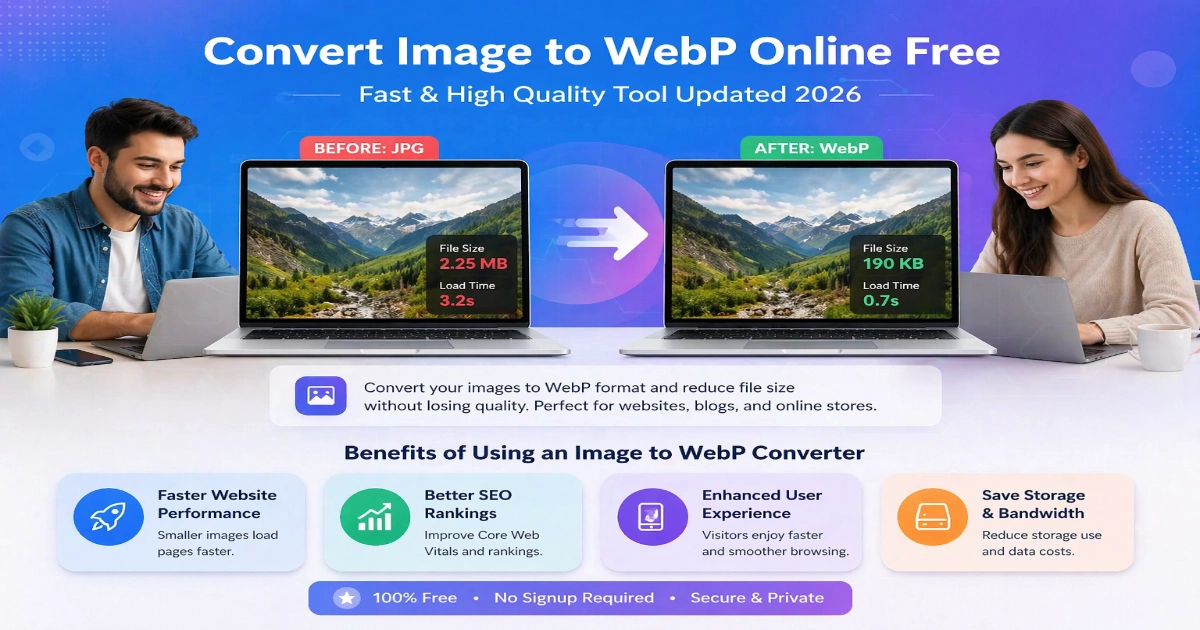
Why WebP Matters
Large image files often slow websites, increase bandwidth usage, and reduce user experience. By using the Convert Image to WebP tool, users can optimize images for faster loading times on desktop and mobile devices.
Smaller file sizes may help with:
- Faster website speed
- Better mobile performance
- Reduced storage usage
- Improved page experience
- Easier uploads and sharing
Who Should Use This Tool?
The Convert Image to WebP tool is useful for:
- Bloggers and content creators
- Website owners
- Ecommerce stores
- Designers and marketers
- Developers optimizing page speed
- Anyone sharing images online
Simple Conversion Process
Our tool is designed to be beginner-friendly:
- Upload your image
- Adjust quality settings if available
- Convert the file to WebP
- Download the optimized image instantly
Works Across Devices
Use the tool smoothly on:
- Mobile phones
- Tablets
- Laptops
- Desktop computers
If you want to optimize image dimensions before or after conversion, use our Image Resizer Tool to further improve performance, loading speed, and upload efficiency.
Why Use WebP Format?
WebP has become a popular image format for modern websites because it combines smaller file sizes with strong visual quality. This means images can load faster without major visible quality loss, helping websites look professional while performing more efficiently.
Faster-loading images often create a smoother browsing experience for visitors on desktop and mobile devices. Well-optimized visuals can also support stronger engagement, reduce slow-loading frustration, and improve overall page performance.
Why Many Users Prefer WebP
People often choose WebP when they want to:
-
reduce image file size without sacrificing appearance
-
improve website loading speed
-
optimize visuals for SEO and page experience
-
prepare graphics for blogs, landing pages, and online stores
-
create faster-loading images for mobile users
-
lower bandwidth usage and storage needs
-
keep websites cleaner and more performance-friendly
Ideal for Modern Websites
Because it balances quality and compression so effectively, WebP is commonly used for product images, featured blog graphics, banners, portfolio images, and other web content where speed matters.
Benefits of Using an Image to WebP Converter
Using an online Image to WebP Converter is one of the easiest ways to optimize images for modern websites without needing advanced editing software. Instead of installing large desktop programs or learning complex settings, users can simply upload an image, convert it in the browser, and download the optimized file within moments.
This saves time, simplifies workflow, and makes image optimization accessible for beginners, creators, businesses, and website owners.
Key Benefits
-
Quick image conversion with a simple browser-based process
-
Smaller file sizes for faster uploads and downloads
-
Better web optimization for websites, blogs, and landing pages
-
Easy user experience with no complicated software setup
-
Support for multiple image formats such as JPG, PNG, and similar files
-
Improved mobile performance through lighter image files
-
More efficient storage use by reducing image size
Why It Matters
An Image to WebP Converter helps users prepare images for faster websites, smoother browsing, and cleaner digital performance while keeping visuals sharp and professional.
When Should You Convert Images to WebP?
You should consider using Convert Image to WebP when you plan to publish images online and need a format that balances visual quality with smaller file sizes. WebP is especially useful when speed, efficiency, and modern web performance are important.
It can be a smart choice for users who want cleaner image optimization without sacrificing appearance.
Common Situations Where WebP Helps
-
website images and page visuals
-
featured blog images
-
product photos for online stores
-
banners and landing page graphics
-
portfolio visuals and galleries
-
social media graphics prepared for web use
-
marketing creatives and promotional assets
Why Many Users Choose WebP
If your goal is faster loading pages and lighter media files, Convert Image to WebP is often a stronger option than relying only on large PNG or JPG files. Smaller images can improve user experience, reduce bandwidth usage, and help websites feel faster across desktop and mobile devices.
Is WebP Good for SEO?
WebP can support SEO by helping images load faster and perform more efficiently on websites. Smaller image files typically reduce page load time, which improves usability and creates a smoother browsing experience for visitors.
While image format alone is not a direct ranking factor, optimized media and faster loading pages are important parts of technical SEO and overall page experience. Websites that load quickly tend to keep users engaged longer and reduce bounce rates.
For this reason, many modern websites use WebP for content images, thumbnails, banners, and featured visuals.
Simple Way to Optimize Images Further
For better results, image optimization often works best when combining multiple steps instead of relying on a single method.
A simple approach is:
-
Reduce unnecessary image dimensions
-
Convert the file into WebP format
This creates a more efficient image that is easier to upload, faster to load, and better suited for websites and mobile devices.
If you need to adjust image size before or after conversion, our Image Resizer Tool can help you quickly optimize dimensions for different platforms.
Final Thoughts
Converting images to WebP is a simple but effective way to improve website performance and make visuals more suitable for online use. By reducing file size while maintaining good quality, WebP helps create lightweight images that load quickly and look clean across devices.
Using an Image to WebP Converter can streamline this process, allowing users to transform large images into optimized, web-friendly files in just a few clicks.
One practical way to reduce image size for web is to combine resizing with WebP conversion for better overall performance.
Frequently Asked Questions (FAQ)
What is an Image to WebP Converter?
An Image to WebP Converter is an online tool that allows users to convert images from formats like JPG, PNG, and GIF into WebP format. WebP helps reduce file size while maintaining good visual quality, making it ideal for websites and online use.
How do I convert an image to WebP online?
You can convert an image to WebP by uploading your file, selecting WebP as the target format, adjusting quality settings if needed, and downloading the converted file. The process is quick and does not require any software installation.
Does converting to WebP reduce image quality?
WebP uses advanced compression methods that aim to reduce file size while keeping image quality as high as possible. In many cases, the difference in quality is minimal and not noticeable to the human eye.
Is WebP better than JPG and PNG?
WebP often provides better compression compared to JPG and PNG, which means smaller file sizes with similar or improved quality. This makes it a popular choice for modern websites and performance optimization.
Is it safe to use an online image converter?
Most online image converters process files automatically without storing them permanently. However, users should always avoid uploading sensitive or personal images to any online tool.
Why should I use WebP for websites?
WebP images load faster due to smaller file sizes, which can improve website speed, user experience, and overall performance. Faster-loading pages are also beneficial for SEO.
Can I convert images on mobile devices?
Yes, modern online image converters are designed to work on mobile devices, tablets, and desktops. You can easily upload and convert images directly from your phone.
Disclaimer
This content is provided for informational and educational purposes only. The information presented about image formats, compression, and optimization is based on general technical knowledge and publicly available resources.
While WebP is widely recognized as an efficient image format, actual results may vary depending on image type, resolution, compression level, and usage context. Users should evaluate image quality and performance based on their specific needs.
For more detailed technical information about WebP format and how it works, you can refer to official sources such as:
We do not guarantee specific performance improvements or SEO outcomes. This tool is designed to assist with image conversion and optimization, but final results depend on multiple technical and usage factors.
Users are advised not to upload sensitive, private, or confidential images to any online tool.
By using this tool, you agree to use it responsibly and at your own discretion.
Secure & Private Image Conversion
Your privacy is important. This tool processes images securely and does not store files permanently. All conversions are handled efficiently to ensure a smooth and safe experience.
You can convert images without worrying about data misuse or unnecessary storage.