
Compress Images Instantly Online Free – Reduce JPG, PNG, WebP Size Without Losing Quality
Compress image online without losing quality. Reduce JPG, PNG, and WebP file size instantly using our fast, free image compressor tool. No signup required.
Compress Image Online
Compress JPG, PNG, and WebP images online with a simple, fast, and user-friendly tool.
Compress Image Online – Fast, Free & High-Quality Tool
Images play a huge role in website performance, SEO rankings, and user experience. Large image files can slow down your website, increase loading time, and negatively impact Google rankings.
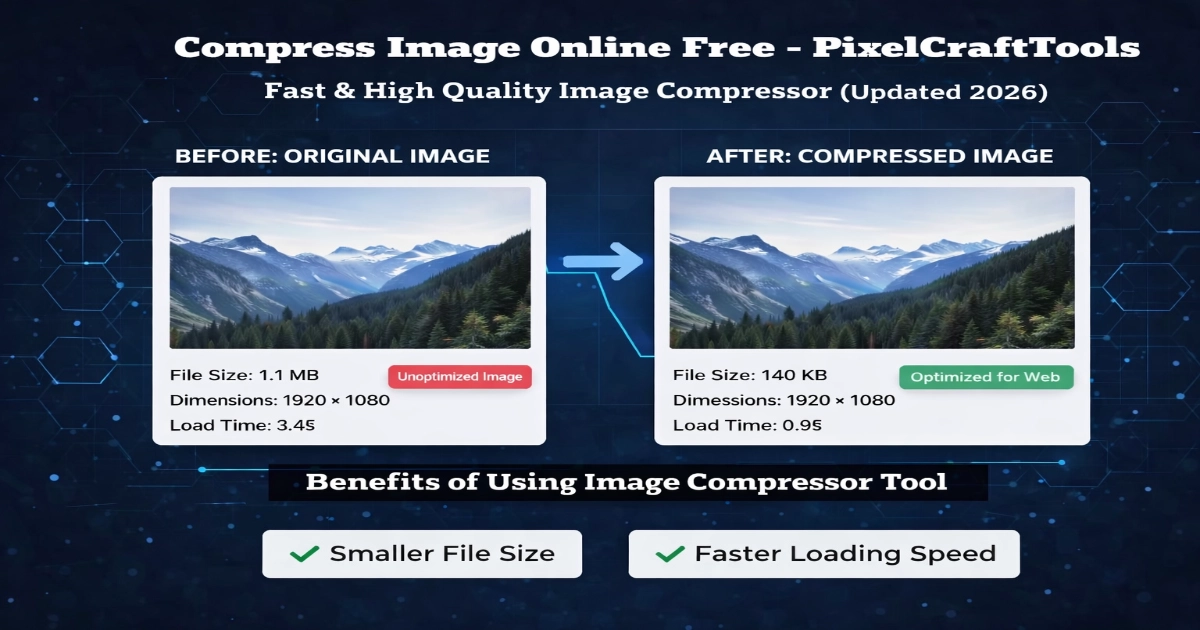
With our image compressor tool, you can easily compress images online without losing noticeable quality. Whether you are optimizing images for a website, blog, social media, or personal use, this tool helps you reduce file size quickly and efficiently.
👉 If you’re working with large images, it’s always a good idea to first resize images before conversion using our tools.
Why Image Compression Matters for SEO
Image optimization is not just about saving space — it directly affects your website performance.
When you reduce image size for web, you get:
- Faster page load speed
- Better Google ranking
- Improved Core Web Vitals
- Lower bandwidth usage
- Better mobile performance
Search engines prefer optimized content, and images are a big part of that.
How to Use This Image Compressor Tool
Using this tool is simple:
- Upload your image (JPG, PNG, or WebP)
- Adjust compression quality using the slider
- Click Compress & Download
- Download your optimized image instantly
👉 For better results, you can also optimize image dimensions before compression.
For better results, you can first adjust dimensions using our image resizer tool before applying compression.
Supported Image Formats
Our tool supports popular formats:
- JPG / JPEG
- PNG
- WebP
You can compress images from different formats and use them across websites, blogs, or social platforms.
Key Features of Our Image Compressor
✔ Fast compression speed
✔ No quality loss (optimized compression)
✔ 100% browser-based processing
✔ No file upload to server (privacy safe)
✔ Works on mobile & desktop
✔ Simple and beginner-friendly interface
When Should You Compress Images?
You should compress images when:
- Uploading images to your website
- Creating blog posts
- Sharing images online
- Improving page speed
- Reducing storage usage
👉 Many users also use an image resizer tool before compression for better results.
It’s recommended to Image Converter to WebP before conversion to ensure optimal quality and better compression results.
Image Compression vs Resizing – What’s the Difference?
- Compression: reduces file size without changing dimensions
- Resizing: changes width/height of the image
Best practice:
👉 Resize first → then compress
Best Practices for Image Optimization
To get maximum performance:
- Use WebP format when possible
- Compress images before uploading
- Keep dimensions optimized
- Avoid unnecessary high-resolution images
- Use lazy loading on website
Frequently Asked Questions (FAQs)
How can I compress an image without losing quality?
You can use an online image compressor tool that reduces file size using optimized algorithms while maintaining visual quality.
Which format is best for image compression?
WebP is generally the best format for compression as it provides smaller file sizes with good quality.
Is image compression safe?
Yes, this tool processes images in your browser, so your files are not uploaded to any server.
Can I compress JPG and PNG images online?
Yes, you can compress JPG, PNG, and WebP images using this tool easily.
Does image compression affect SEO?
Yes, compressed images improve page speed, which is an important ranking factor for SEO.
What is the ideal image size for websites?
It depends on usage, but generally images under 200KB are considered optimized for web performance.
Should I resize or compress images first?
You should resize images first, then compress them for best results.
Conclusion
PixelCraftTools offers a simple and efficient way to compress images online without unnecessary complexity. Whether you’re reducing file size for faster website loading, improving SEO performance, or optimizing images for social media, this tool helps you get the job done instantly.
With support for multiple formats, real-time processing, and a privacy-focused system, it provides a reliable solution for everyday image optimization needs.
To discover more tools for resizing, compressing, and converting images, you can explore all image optimization tools available on our platform.
If you want to explore the full workflow, you can also check our step-by-step guide on how to compress and optimize images effectively.
Policy & Disclaimer
PixelCraftTools provides this image compression and optimization tool for general utility and educational purposes. While we strive to maintain accuracy and performance, users are responsible for reviewing and using the processed output according to their needs.
General Use Disclaimer
This tool is designed to simplify image compression and optimization. However:
- Output quality may vary depending on the original file
- Compression levels may affect visual clarity
- Results may differ across different formats and devices
- Users should always verify images before professional or commercial use
Privacy & Data Protection
We prioritize user privacy and data safety:
- Images are processed directly within your browser
- No permanent storage of uploaded files
- Files are automatically removed after processing
- We do not access or share user data
User Responsibility
By using this tool, you agree that:
- You have the legal rights to upload and process the images
- You will not upload restricted, copyrighted, or sensitive content without permission
- You are responsible for how the final images are used
Accuracy & Performance Notice
While the tool is optimized for efficiency:
- Target file size results are approximate
- Compression outcomes depend on image complexity
- Some advanced editing may require dedicated software
Compatibility Notice
This tool is built for modern environments:
- Works best on updated browsers like Chrome, Edge, and Safari
- Performance may vary on older devices or browsers
- Results can differ based on system capabilities
No Warranty Statement
All services provided by PixelCraftTools are offered “as is” without guarantees.
We do not assure:
- Continuous uptime without interruptions
- Completely error-free processing
- Identical results for all image types
Users are advised to review outputs before final use.
Educational Purpose
This tool is intended for practical and informational use. It helps users:
- Compress images
- Optimize files for web
- Improve loading speed
However, it does not replace professional editing software for advanced design, printing, or high-end production tasks.
Fair Usage Guidelines
To maintain performance for all users:
- Avoid uploading extremely large or unsupported files
- Do not use automated or excessive requests
- Follow responsible usage practices
Copyright & Usage Policy
Users must ensure:
- They own the image rights OR have permission to use them
- They comply with applicable copyright laws
PixelCraftTools is not responsible for misuse of uploaded content.