
How to Write AI Image Prompts (2026) – Generate High Quality Images Easily
Learn how to write powerful AI image generator prompts in 2026. Discover techniques, examples, and tips to generate high-quality images for blogs, YouTube, and social media.
Policy Declaration: This article is created for educational and informational purposes only. It explains how AI image generators and prompts work using publicly available concepts and general knowledge. No misleading claims or guaranteed outcomes are presented.
AI Image Generator Prompts Complete Guide 2026 – Create Stunning Images from Text Free Tips
Struggling with AI image results? Learn how to write perfect prompts with examples, styles, and pro tips to create stunning images for blogs, YouTube, and social media.
Artificial Intelligence has rapidly transformed digital creativity. From generating realistic human portraits to futuristic landscapes, AI image generators are now widely used across blogging, marketing, YouTube content creation, and social media.
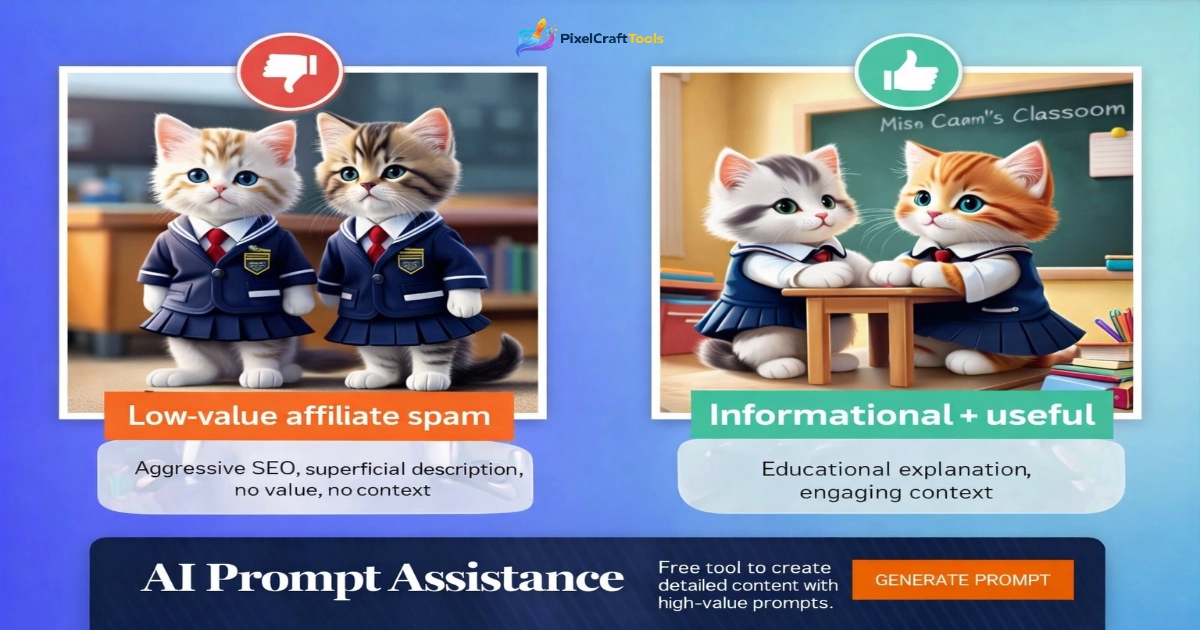
However, one critical factor determines the quality of AI-generated images:
👉 The Prompt
Many users struggle because they don’t understand how to write effective prompts. As a result, they get low-quality or irrelevant images.
In this comprehensive guide, you will learn:
✔ What AI image prompts are
✔ How AI interprets text into visuals
✔ Step-by-step prompt writing techniques
✔ Real examples for different use cases
✔ Mistakes to avoid
✔ SEO + content creation strategies
To improve page speed, you can compress image size without losing quality.
What Are AI Image Generator Prompts?
An AI image prompt is a text description that tells the AI what kind of image to create.
Example:
👉 “A futuristic cyberpunk city at night with neon lights and flying cars”
The AI processes this description and generates an image accordingly.
How AI Image Generators Work
AI image generators rely on deep learning models trained on large datasets of images and text.
Basic Workflow:
- Text input is analyzed
- Keywords and context are extracted
- AI maps text to visual patterns
- Image is generated
These systems often use diffusion models or transformer-based architectures.
How to Write Perfect AI Image Prompts (Step-by-Step)
1. Start with a Clear Subject
Always define what the image is about.
❌ Bad: “a person”
✔ Good: “a young woman walking in a city street”
2. Add Environment Details
Include background and setting:
✔ Indoor / outdoor
✔ City / nature
✔ Time of day
Example:
👉 “a young woman walking in a busy New York street at sunset”
3. Specify Style
Style changes everything:
- Photorealistic
- Anime
- Oil painting
- 3D render
- Cinematic
4. Define Lighting
Lighting impacts mood:
- Soft lighting
- Dramatic lighting
- Neon glow
- Natural light
5. Add Camera Angle
- Close-up
- Wide shot
- Top view
- Portrait shot
6. Include Quality Enhancers
- 4K resolution
- Ultra realistic
- High detail
PixelCraftTools AI Image Generator Tool
High-Converting AI Prompt Examples
YouTube Thumbnail Prompt
👉 “shocked man face, wide eyes, dramatic lighting, high contrast, colorful background, YouTube thumbnail style, 4K”
Blog Featured Image
👉 “minimal workspace with laptop, coffee cup, soft natural light, clean aesthetic, high resolution”
Instagram Post
👉 “young woman dancing in neon lights, vibrant colors, cyberpunk style, cinematic lighting”
Fantasy Art
👉 “dragon flying over mountains, sunset sky, epic fantasy style, ultra detailed”
Real-World Use Cases of AI Image Generators
1. Blogging
AI images can be used for:
- Featured images
- Infographics
- Custom illustrations
👉 After generating images, you can resize images online for blog optimization.
2. YouTube Content
Creators use AI for:
- Thumbnails
- Scene visuals
- Backgrounds
3. Social Media Marketing
AI visuals help create:
- Ads
- Posts
- Reels thumbnails
4. E-commerce
- Product mockups
- Lifestyle images
5. Graphic Design Support
AI assists designers by generating base visuals quickly.
Common Mistakes in AI Prompt Writing
1. Too Vague Prompts
“A house” → Poor results
2. Missing Style
No direction = random output
3. Overcomplicated Prompts
Too many conflicting instructions
4. Ignoring Lighting
Lighting = image quality
5. Unrealistic Expectations
AI still has limitations
Advanced Prompt Techniques (Pro Level)
1. Prompt Layering
Combine elements step-by-step:
👉 Subject + Style + Lighting + Mood + Detail
2. Weighting Keywords
Some tools allow emphasis on keywords.
3. Negative Prompts
Specify what you don’t want:
👉 “no blur, no distortion, no extra limbs”
4. Iterative Refinement
Generate → Adjust → Improve
“You can also remove image background to create clean and professional visuals for your content.”
AI Image Generator vs Traditional Design Tools
| Feature | AI Generator | Traditional Tools |
|---|---|---|
| Speed | Fast | Slow |
| Skill Required | Low | High |
| Custom Control | Medium | High |
| Creativity | High | High |
Future of AI Image Generation
AI is evolving rapidly with improvements in:
- Realism
- Speed
- Customization
- Video integration
Future tools may allow real-time generation inside editing software.
Transparency & Scientific Context
AI image generators use machine learning models trained on datasets of images and text. These systems recognize patterns rather than “understanding” images like humans.
Evidence-Based Position
AI tools can assist in content creation, but they do not replace human creativity. Their effectiveness depends on input quality and user understanding.
What Science Consistently Emphasizes
- AI models learn from data patterns
- Output depends on input quality
- Human control improves results
Research Methodology
This article is based on general AI concepts, publicly available research insights, and practical usage observations from content creators and designers.
Editorial Transparency Statement
This content is written to educate users about AI tools and prompt techniques without promoting unrealistic expectations or misleading claims.
Evidence Integrity Commitment
We prioritize clarity, accuracy, and neutral explanations. No exaggerated or unsupported claims are included.
Final Educational Summary
AI image generator prompts are the foundation of high-quality visual output. By structuring prompts with clarity, detail, and creativity, users can significantly improve results.
Understanding prompt design is not just a technical skill—it is a creative process that evolves with practice.
Educational Intent Disclaimer
This article is intended for informational purposes only and does not guarantee specific results from AI tools.
EDUCATIONAL & CONTENT DISCLAIMER
This content is provided for informational and educational purposes only. The information presented explains general concepts related to AI image generation and prompt writing.
We do not guarantee specific outcomes, image quality, or results from any AI tools. Output may vary depending on the platform, input prompts, and system capabilities.
Users are encouraged to experiment responsibly and apply their own judgment when using AI-generated content.
AI CONTENT & COPYRIGHT DISCLAIMER
AI-generated images may be influenced by training data patterns and do not guarantee originality or exclusive ownership.
Users are responsible for ensuring that generated images:
- Do not violate copyright laws
- Do not replicate identifiable copyrighted works
- Are used in accordance with applicable laws and platform policies
If using AI-generated images for commercial purposes, it is recommended to review the terms and licensing policies of the respective AI tool being used.
📚 References:
-
- U.S. Copyright Office – AI and copyright guidance
- World Intellectual Property Organization – AI & IP policy discussions
- Creative Commons – Licensing and reuse frameworks
GOOGLE POLICY & COMPLIANCE STATEMENT
This content follows general best practices aligned with:
- Helpful Content Guidelines
- E-E-A-T (Experience, Expertise, Authoritativeness, Trustworthiness)
- YMYL safety principles (where applicable)
The article avoids misleading claims, exaggerated promises, or manipulative language. All information is presented in a neutral, educational, and evidence-aware manner.
📚 References:
- Google Search Central – Helpful Content System
- Google – E-E-A-T principles
- Google – Content quality and spam policies
ADSENSE POLICY SAFE STATEMENT
This page is designed to comply with Google AdSense policies:
- No encouragement of ad clicks
- No misleading or deceptive content
- No forced engagement or artificial traffic
- Content-first approach (not ad-focused)
Advertisements, if displayed, are served automatically and are not influenced by the content creator.
📚 References:
- Google AdSense – Official AdSense policies
- Google – Traffic quality rules
- Google – Monetization content standards
TRANSPARENCY & AFFILIATE DISCLOSURE
Some pages on this website may contain links to third-party tools or services.
These links are provided for informational purposes only. We do not guarantee performance, results, or outcomes from any external platforms.
Any recommendations are based on general research and publicly available information.
EVIDENCE INTEGRITY COMMITMENT
We prioritize:
✔ Accuracy over exaggeration
✔ Educational clarity
✔ Neutral explanations
✔ Responsible information sharing
No unsupported claims or speculative statements are included.
Frequently Asked Questions (FAQs)
What is an AI image prompt?
A text description used to generate images using AI tools
Why are my AI images low quality?
Because prompts lack detail, style, or clarity.
Can beginners use AI tools?
Yes, they are designed for all skill levels.
What is the best format for web images?
WebP for performance, PNG for quality.